 M-NMS
Monitoring OLDI and AMHS links between ATC centres
OLDI carries flight data between neighbouring ATC units. AMHS carries ATS messages. Both run over TCP connections to fixed addresses, and both fail in ways that device monitoring often misses.
What can go wrong
- The remote system stops listening on its port after a restart or failover.
- A firewall or routing change blocks the path to the neighbouring centre.
- The connection is refused because the far end changed its configuration.
- The link is so slow that connections time out.
In each case the local devices can stay green.
How to check an OLDI or AMHS link
The reliable check is the one the application itself makes: open a TCP connection to the service address and port. In M-NMS you create one profile per link, for example LIRR ACC OLDI to LIMM ACC or AMHS MTA (X.400 P1), with:
- the function type (OLDI or AMHS);
- protocol TCP and unicast delivery;
- the address (IP or hostname) and the port.
M-NMS opens the connection every 30 seconds and waits up to 2 seconds. When the connection fails, the check records the operating-system reason, such as connect ECONNREFUSED 192.168.56.80:10200 or Timeout.
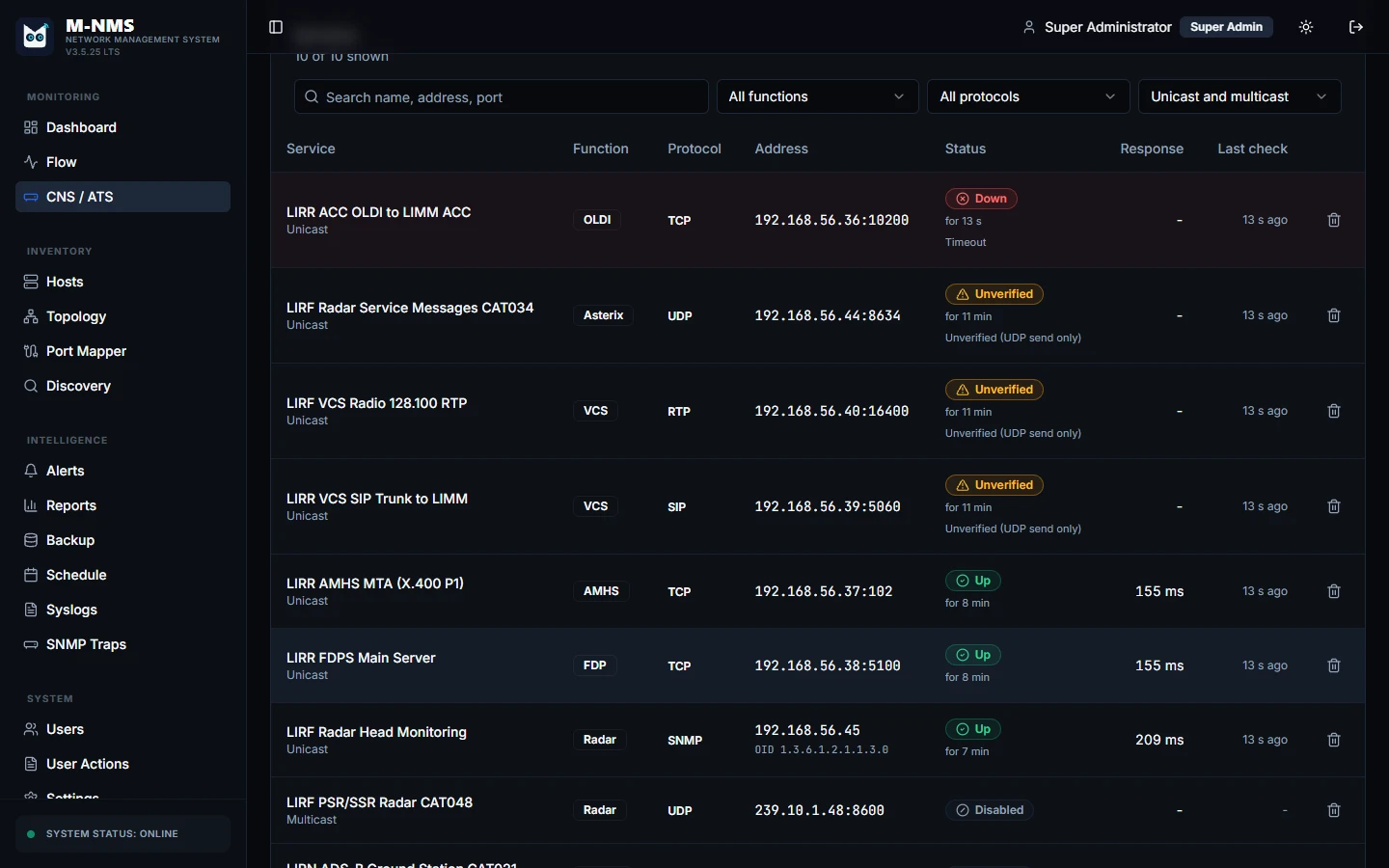
Alarm rules that avoid false alarms
A single failed connection can be a short network hiccup. M-NMS raises a critical alarm only after two failed checks in a row, about one minute of outage, and closes it when the link answers again. The alarm text names the service, its type and its address, so the technician knows which centre to call.
From there the normal M-NMS alarm handling applies: sound per severity, pop-up on every open screen, e-mail, and escalation to the on-call technician when nobody acknowledges. Planned work on a link can be covered by a maintenance window so it does not page anyone.
Check the path, not only the link
When an OLDI or AMHS link fails, look at the path. M-NMS shows the routers, firewalls and WAN links on the same topology map, with interface status and traffic, so you can tell a dead application from a broken path.