 M-NMS
CNS/ATS service monitoring: know when a service fails, and why
Device monitoring tells you a switch is up. It does not tell you whether the radar feed is still arriving at the SDPS, or whether the OLDI link to the neighbouring centre still accepts a connection. CNS/ATS service monitoring checks the services themselves.
Why device monitoring is not enough
An air navigation network can look healthy while a service is down. The router answers ping, the switch port is up, the server's CPU is normal, but the application on the far end stopped listening, a multicast stream stopped flowing, or a firewall rule changed. The technician sees green devices and a controller who reports a missing service.
A service check closes that gap: it talks to the service the way its users do, on the address and port the service uses.
What to check for each service type
| Service | Typical check |
|---|---|
| OLDI, AMHS, FDP | TCP connection to the service address and port |
| Radar, ADS-B, ASTERIX, SDPS feeds | Join the multicast group and confirm traffic arrives |
| VCS | SIP or RTP on the voice network |
| Radar heads and managed equipment | SNMP get of a status value |
M-NMS supports these eight service types (OLDI, VCS, Radar, AMHS, FDP, SDPS, ASTERIX and ADS-B) and five check methods: TCP, UDP, SIP, RTP and SNMP, over unicast or multicast.
How often to check, and when to alarm
M-NMS checks every enabled service every 30 seconds in the background, whether or not anyone has the page open. Each check waits 2 seconds for an answer.
One lost packet is not an outage. A service is marked down only after two failed checks in a row, and only then is a critical alarm raised, one per service. The alarm closes by itself when the service answers again.
What the technician needs to see
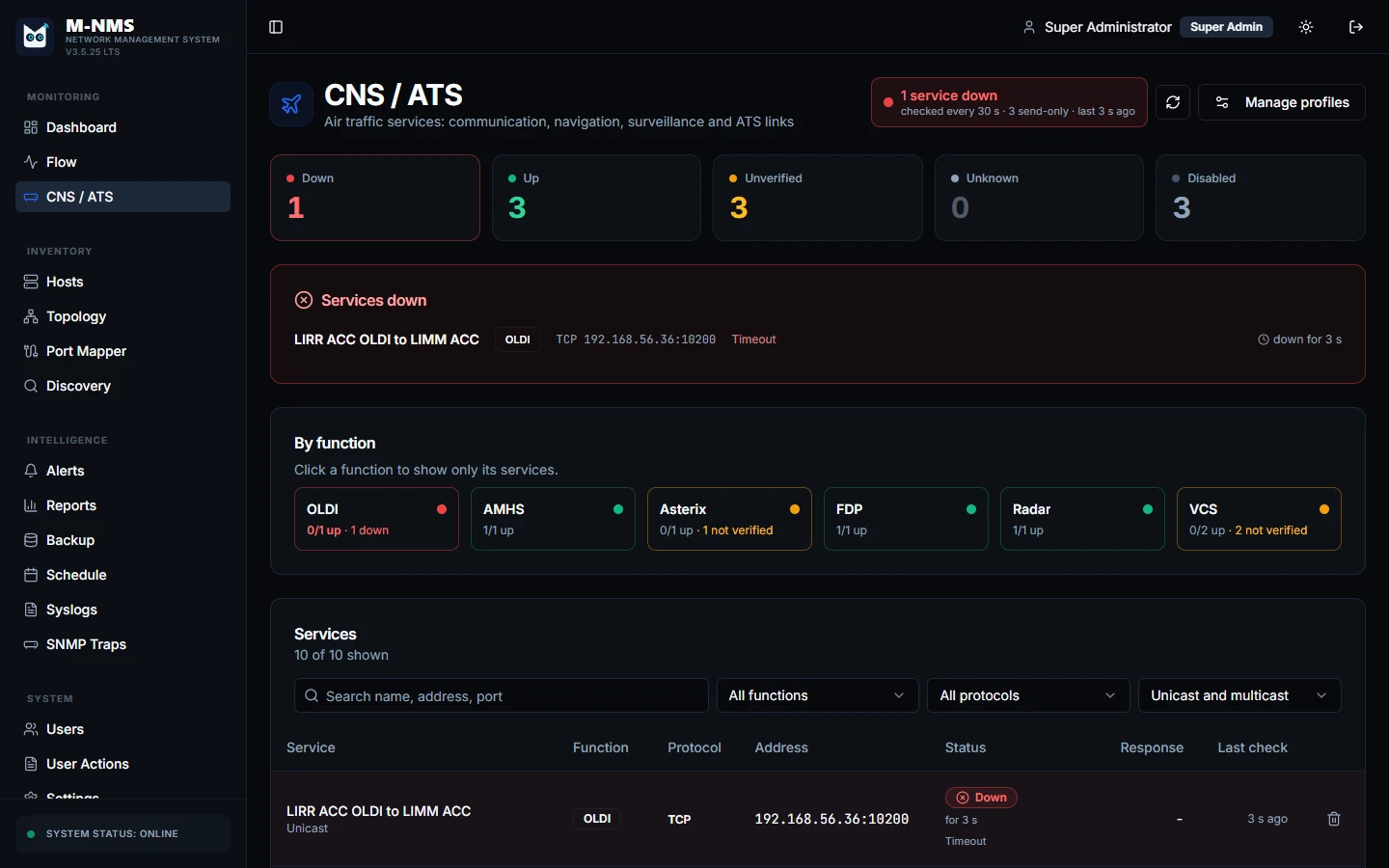
"Service down" is not enough at 03:00. For every failed service the CNS/ATS page shows:
- the service name and type, for example Radar or OLDI;
- the protocol and address, for example
UDP 239.10.1.48:8600; - the exact reason, for example No multicast traffic received, Timeout or connect ECONNREFUSED;
- how long it has been down.
Honest states: up, down, unverified, unknown
Some checks cannot prove a service is working. A one-way UDP stream to a unicast address gives no reply, so M-NMS reports it as Unverified (UDP send only) instead of pretending it is up. Multicast feeds are verified because M-NMS joins the group and waits for real traffic.
Service and network on one screen
When a service fails, the next question is where. M-NMS monitors the switches, links, firewalls, servers, UPS and DC power that carry the service in the same console, so the technician can see whether the cause is the service itself or the path to it.